
How do I control my room thermostat
author: Bani
2025-03-17
How do I Control My Room Thermostat

Introduction
A room thermostat is your key to a comfortable indoor environment, allowing you to regulate the temperature in your living spaces. Whether you're trying to stay warm in winter or cool in summer, knowing how to control it effectively is crucial. Ocean Controls Limited, a well - known name in the thermostat industry, offers a range of room thermostats with various control options. This blog will guide you through the different ways to control your room thermostat, with a focus on Ocean Controls Limited's products.
Basic Manual Control
Temperature Setting Buttons
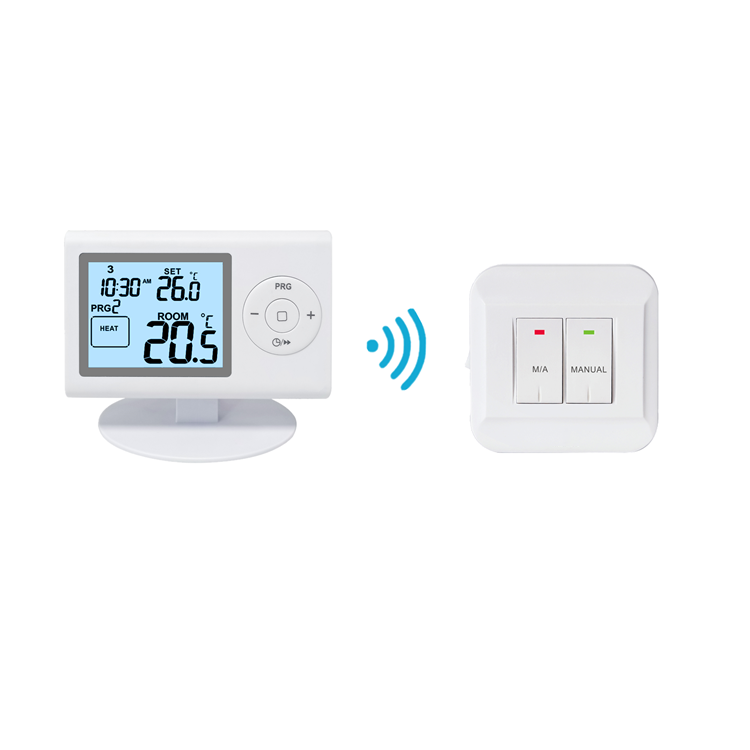
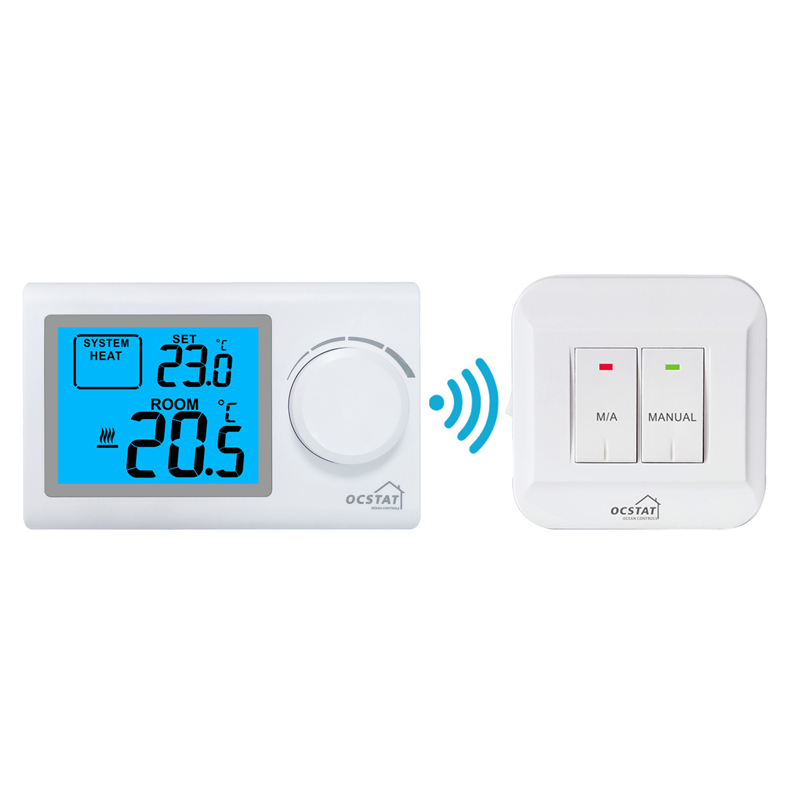
Most room thermostats, including those from Ocean Controls Limited, come with basic temperature - setting buttons. These are usually labeled with plus (+) and minus (-) signs. To increase the temperature, you simply press the plus button, and to decrease it, you press the minus button. For example, if you feel cold and want to raise the temperature from 68°F to 70°F, a few presses of the plus button will do the trick. Ocean Controls Limited's thermostats are designed with easy - to - use buttons, making it simple for anyone to adjust the temperature.
Mode Selection
In addition to temperature adjustment, you can also select the operating mode. Common modes include heating, cooling, and fan - only. Ocean Controls Limited's thermostats often have a mode button or a selector switch. In winter, you would set it to the heating mode, and in summer, to the cooling mode. If you just want to circulate the air without heating or cooling, the fan - only mode is available. This gives you flexibility in controlling the environment according to your needs.
Programmable Schedules

Setting Daily and Weekly Schedules
One of the great features of modern room thermostats is the ability to set programmable schedules. Ocean Controls Limited's programmable thermostats allow you to set different temperatures for various times of the day. For instance, you can program it to lower the temperature to 65°F at night for better sleep and raise it to 72°F in the morning when you wake up. To set a schedule, you usually access the programming menu on the thermostat. This may involve pressing a specific sequence of buttons. The menu will prompt you to enter the desired temperature and the time at which the change should occur. You can set different schedules for each day of the week, ensuring your home is always at a comfortable temperature while saving energy.
Using Pre - Set Templates
Some Ocean Controls Limited thermostats also offer pre - set templates for common schedules. For example, there might be a "home - at - work" template. When you select this template, the thermostat automatically adjusts the temperature based on a typical workday schedule. It lowers the temperature when you're likely at work and raises it before you get home. This is a convenient option for those who don't want to spend a lot of time programming the thermostat from scratch.
Remote Control via Mobile App
Connecting Your Thermostat
If your room thermostat from Ocean Controls Limited is Wi - Fi enabled, you can control it remotely using a mobile app. First, you need to connect the thermostat to your home's Wi - Fi network. This usually involves following the setup instructions provided with the thermostat. Once connected, you download the Ocean Controls Limited mobile app from your device's app store. After installing the app, you log in using your account credentials and pair the app with your thermostat. The app will guide you through the pairing process, which typically involves scanning a QR code on the thermostat or entering a unique code.
Controlling Temperature on - the - Go
With the app installed and paired, you can control your room thermostat from anywhere with an internet connection. Whether you're at work, on vacation, or just out running errands, you can adjust the temperature. For example, if you realize you left the thermostat set too high and want to save energy, you can lower the temperature using the app. You can also view the current temperature in your room, check the battery status (if it's a battery - powered thermostat), and manage the programmable schedules. The app provides a user - friendly interface with large buttons and clear graphics, making it easy to use on a mobile device.
Voice Control Integration
Compatibility with Smart Assistants
Ocean Controls Limited's room thermostats are often compatible with popular smart assistants like Amazon Alexa and Google Assistant. To enable voice control, you first need to ensure that your thermostat is connected to the same Wi - Fi network as your smart speaker. Then, you link the Ocean Controls Limited skill (for Alexa) or the Ocean Controls Limited integration (for Google Assistant) to your smart assistant. This process usually involves logging into your Ocean Controls Limited account within the smart assistant's app.
Using Voice Commands
Once integrated, you can use simple voice commands to control your room thermostat. For example, you can say, "Alexa, set the temperature in the living room to 70°F" or "Hey Google, turn on the heating in the bedroom." The smart assistant will receive your command, communicate with the thermostat, and make the necessary adjustments. This hands - free control option is especially convenient when your hands are full or when you're relaxing on the couch.

Energy - Saving Controls
Eco - Mode
Ocean Controls Limited's room thermostats often have an eco - mode. When activated, this mode adjusts the temperature settings to optimize energy savings. For example, in winter, it may set the temperature slightly lower than your normal comfort level, and in summer, it may set it slightly higher. To activate eco - mode, you can usually find an eco - mode button on the thermostat or select it from the settings menu in the mobile app. This mode helps you reduce your energy consumption without sacrificing too much comfort.
Adaptive Energy - Saving Features
Some of their thermostats also come with adaptive energy - saving features. These thermostats can learn your temperature preferences over time and adjust the settings to save energy. For example, if they notice that you often lower the temperature in the evening, they may start to automatically make this adjustment a few minutes earlier each day. This intelligent energy - saving feature is a great way to cut down on your energy bills while maintaining a comfortable living environment.
Maintenance and Troubleshooting
Battery Replacement (if applicable)
If your room thermostat is battery - powered, it's important to replace the batteries regularly. Ocean Controls Limited's battery - powered thermostats will usually indicate when the battery is low. This may be through a low - battery icon on the display or a beeping sound. To replace the batteries, simply open the battery compartment (usually located on the back or bottom of the thermostat) and insert new batteries of the correct type. Make sure to follow the polarity markings to ensure proper installation.
Resetting the Thermostat
If you're experiencing issues with your thermostat, such as incorrect temperature readings or unresponsive controls, you may need to reset it. Ocean Controls Limited provides instructions on how to reset their thermostats. Usually, there is a small reset button on the thermostat. You can press and hold this button for a few seconds to reset the device. After resetting, you may need to reprogram the thermostat, so it's a good idea to have your settings and schedules handy.

Conclusion
Controlling your room thermostat doesn't have to be complicated. With the various control options available, including basic manual control, programmable schedules, remote control via mobile app, voice control integration, and energy - saving features, you can easily create a comfortable and energy - efficient living environment. Ocean Controls Limited's room thermostats offer a range of features and compatibility options, making them a great choice for homeowners. By understanding how to control your thermostat, you can take full advantage of its capabilities and enjoy a more comfortable home.
What does 1H 1C mean on a thermostat
What is the Honeywell digital indoor thermostat
Related Article

This shift has made traditional, manual thermostats obsolete, paving the way for advanced smart technologies.
Why You Need a Smart Thermostat

A true 7 Day programmable room thermostat offers the ultimate granular control. It allows users to program a distinct, customized heating and cooling schedule for every single day of the week.
How a 7 Day Programmable Room Thermostat Maximizes Home Comfort and Efficiency

A premium Riseem thermostat is not just a digital display on your wall; it is the ultimate gatekeeper of your indoor environment.
Why a Quality Thermostat Is the Key to a More Comfortable Home

While the TUYA app provides the elegant interface, the physical thermostat remains the brain of the operation. Riseem has engineered a device that looks minimalist on your wall while delivering industrial-grade precision to your HVAC equipment.
Welcome to the Future of Home Automation The Ultimate Guide to TUYA WIFI Smart Thermostats