
how do you know if your thermostat is bad
author: Lily
2025-06-17
How do you know if your thermostat is bad
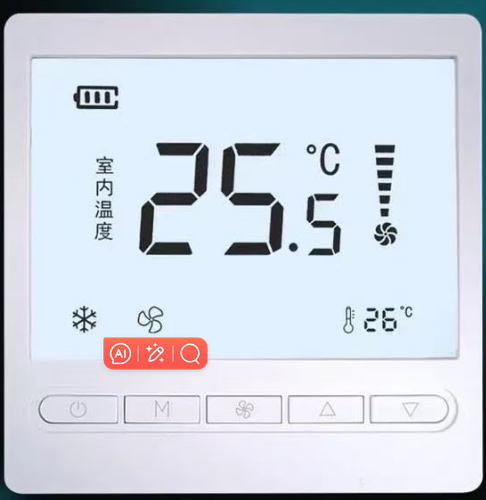
Q: My home’s temperature feels off, but how can I know if the thermostat is the problem?
A: A malfunctioning thermostat can cause heating or cooling issues, but it’s essential to distinguish between thermostat problems and HVAC system failures. Here’s a breakdown of telltale signs, testing methods, and expert tips to diagnose the issue.
Q: What are the most obvious signs of a bad thermostat?
A: Look for these red flags:
- Display issues: A blank, flickering, or unresponsive screen (check batteries for wireless models or wiring for hardwired ones).
- Temperature inconsistencies: The room temperature doesn’t match the thermostat’s setting (verify with a separate thermometer).
- System failure to respond: The HVAC system won’t turn on when adjusting the temperature, or it runs continuously without stopping.
- Unusual noises/smells: Frequent clicking, buzzing, or a burning odor near the thermostat (a sign of wiring or internal component damage).
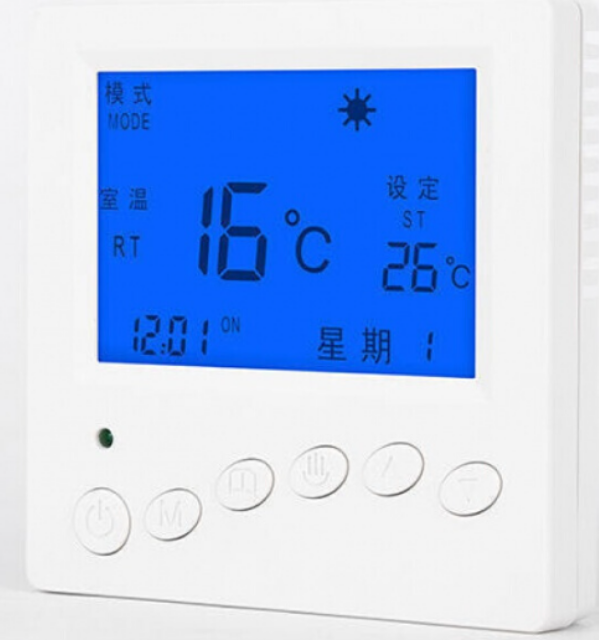
Q: How can I test my thermostat at home without professional help?
A: Start with these DIY steps:
- Check basic settings: Ensure the thermostat is in the correct mode (heat/cool) and the fan is set to “Auto” or “On.”
- Adjust the temperature: Raise or lower the set temp by 5°F and wait 5 minutes. If the system doesn’t kick in, proceed.
- Inspect batteries/wiring: Replace dead batteries in wireless models; for hardwired thermostats, turn off the circuit breaker, remove the cover, and check for loose or corroded wires.
- Bypass the thermostat: With power off, touch the R (red) wire to the W (heat) or Y (cool) wire. If the system turns on, the thermostat is likely faulty.
Q: My thermostat is digital. Can I reset it to fix the issue?
A: Yes. Most digital thermostats can be reset by:
- Removing batteries for 30 seconds (battery-powered models).
- Disconnecting power from the circuit breaker (hardwired models).
- For smart thermostats, try a factory reset via the app or physical button, then reconfigure settings.
Q: When should I call an HVAC professional?
A: Seek expert help if:
- You’re unsure about electrical work or HVAC systems.
- The thermostat shows physical damage (burnt wires, melted parts).
- Bypassing the thermostat works, but the device still fails.
- DIY tests don’t resolve the issue—professional diagnosis prevents further damage.
Q: How do I replace a faulty thermostat safely?
A: Follow these steps:
- Choose the right model: Match the thermostat to your system (single-stage, multi-stage, or smart).
- Document wiring: Take a photo of the old wiring connections (labeled R, W, Y, G, C) before removing them.
- Install the new thermostat: Connect wires to corresponding terminals, secure the base, and restore power.
- Test each mode: Verify heat, cool, and fan functions to ensure proper operation.
Q: Are there ways to prevent thermostat problems?
A: Yes. Practice regular maintenance:
- Replace batteries in wireless thermostats annually.
- Clean the thermostat cover and sensors to remove dust.
- Update firmware for smart thermostats and check app connections monthly.
Expert Insight
“Thermostat issues often mimic larger HVAC problems, but simple tests can save homeowners time and money,” says John Smith, a certified HVAC technician. “If you notice inconsistent temperatures or system failures, start with basic diagnostics before assuming a costly repair.”
For persistent problems, contact a licensed technician to avoid risking electrical hazards or system damage. A functional thermostat is key to energy efficiency and home comfort—don’t ignore the signs!


Wireless Home Thermostat System
7 day programmable thermostats
Related Article

This shift has made traditional, manual thermostats obsolete, paving the way for advanced smart technologies.
Why You Need a Smart Thermostat

A true 7 Day programmable room thermostat offers the ultimate granular control. It allows users to program a distinct, customized heating and cooling schedule for every single day of the week.
How a 7 Day Programmable Room Thermostat Maximizes Home Comfort and Efficiency

A premium Riseem thermostat is not just a digital display on your wall; it is the ultimate gatekeeper of your indoor environment.
Why a Quality Thermostat Is the Key to a More Comfortable Home

While the TUYA app provides the elegant interface, the physical thermostat remains the brain of the operation. Riseem has engineered a device that looks minimalist on your wall while delivering industrial-grade precision to your HVAC equipment.
Welcome to the Future of Home Automation The Ultimate Guide to TUYA WIFI Smart Thermostats