
How do you test a thermostat
author: Bella
2025-06-20
How Do You Test a Thermostat?
In recent times, many homeowners have been puzzled by thermostat malfunctions, which can significantly impact home comfort, particularly during extreme weather. Knowing how to test a thermostat is essential for diagnosing and fixing these issues. Here is a comprehensive, step-by-step guide to help you test your thermostat effectively

Q: What is the most fundamental method to test a thermostat?
A: Testing a thermostat doesn't have to be complicated. Follow these straightforward steps to ensure your thermostat is functioning correctly.
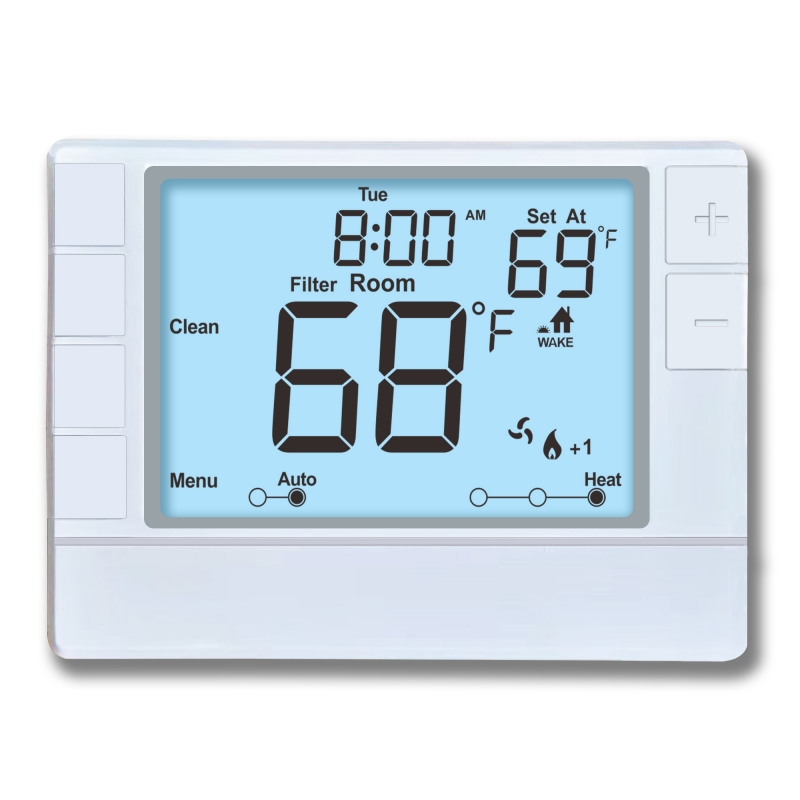
-
Turn Off Power: Before working on any electrical components, turn off the power supply to the thermostat to ensure safety.
-
Remove the Thermostat Cover: Carefully remove the cover or faceplate to access the wiring and internal components.
-
Inspect Visually: Check for any obvious signs of damage, loose wires, corrosion, or dirt that might affect operation.
-
Set the Thermostat to Test Mode:
-
Many thermostats have a test mode or you can manually set it to a specific temperature.
-
Turn the thermostat to a temperature higher or lower than the current room temperature to see if the system turns on or off accordingly.
-
-
Test the Heating/Cooling Response:
-
Heating: Set the thermostat above room temperature and see if your heating system kicks in. Then set it below room temperature to see if it turns off.
-
Cooling: For air conditioning, set the thermostat below room temperature to activate cool mode and see if the AC turns on.
-
-
Use a Multimeter (for digital or wired thermostats):
-
Turn the power back on.
-
Place the multimeter probes across the thermostat terminals.
-
When the thermostat calls for heat or cooling, it should close the circuit (show continuity); when not calling for heat/cooling, the circuit should open.
-
Verify that the contacts open and close at the correct setpoints.
-
-
Check the Temperature Sensor:
-
Use an independent thermometer to measure room temperature.
-
Compare this to the thermostat's reading; significant discrepancies suggest a faulty sensor.
-
-
Evaluate the Response Time:
-
Observe how quickly the system reacts when you change the thermostat setting. Delays or failure to respond may indicate a problem.
-
-
Replace or Repair if Needed:
-
If the thermostat doesn't respond as expected or the readings are inaccurate, it may be faulty.
-
Consider replacing the thermostat or contacting a professional for repair.
-
By following these steps, you can effectively test your thermostat and identify any potential problems. If you're unsure about performing these tests or feel uncomfortable, it's always a good idea to seek assistance from a professional HVAC technician. They have the expertise and tools to diagnose and fix thermostat issues quickly and safely.


what temperature should I set the thermostat
Home AC Thermostat
Related Article

This shift has made traditional, manual thermostats obsolete, paving the way for advanced smart technologies.
Why You Need a Smart Thermostat

A true 7 Day programmable room thermostat offers the ultimate granular control. It allows users to program a distinct, customized heating and cooling schedule for every single day of the week.
How a 7 Day Programmable Room Thermostat Maximizes Home Comfort and Efficiency

A premium Riseem thermostat is not just a digital display on your wall; it is the ultimate gatekeeper of your indoor environment.
Why a Quality Thermostat Is the Key to a More Comfortable Home

While the TUYA app provides the elegant interface, the physical thermostat remains the brain of the operation. Riseem has engineered a device that looks minimalist on your wall while delivering industrial-grade precision to your HVAC equipment.
Welcome to the Future of Home Automation The Ultimate Guide to TUYA WIFI Smart Thermostats