
How to adjust the temperature on the boiler thermostat
author: Lily
2025-07-14
How to Adjust the Temperature on Your Boiler Thermostat
As the seasons change, ensuring your home stays at a comfortable temperature while keeping energy bills in check becomes a priority. One key part of this is knowing how to properly adjust your boiler thermostat. Whether you have a traditional dial thermostat or a modern smart model, the process can be straightforward with the right guidance. Here’s a comprehensive look at how to get it done.
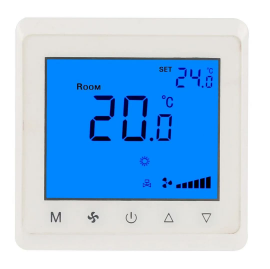
Understand Your Thermostat Type
Before making any adjustments, it’s essential to identify what kind of boiler thermostat you have, as the method varies by model. The most common types include mechanical dial thermostats, which feature a rotating dial with temperature numbers; digital thermostats, with a screen and buttons for precise settings; and smart thermostats, which connect to Wi-Fi and can be controlled via apps or voice commands. Checking the user manual (or searching for it online using your thermostat’s brand and model number) is a great first step to confirm its type and specific functions.
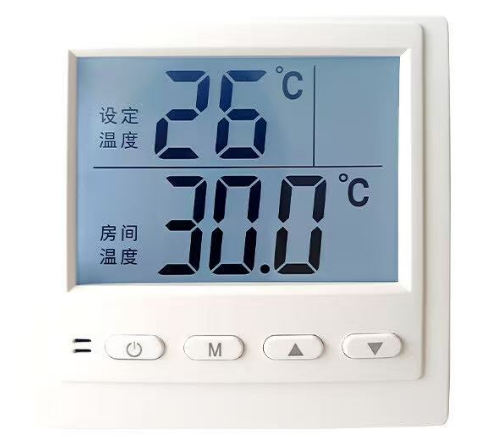
Adjusting a Mechanical Dial Thermostat
For those with a mechanical dial thermostat, the process is simple. Locate the dial, which is typically marked with temperature ranges (e.g., 10°C to 30°C). To increase the temperature, turn the dial clockwise towards a higher number; to decrease it, turn counterclockwise towards a lower number. Wait 30 minutes to an hour after adjusting to allow the boiler to respond and the room temperature to stabilize. Avoid frequent small adjustments, as this can make the boiler work harder and waste energy.
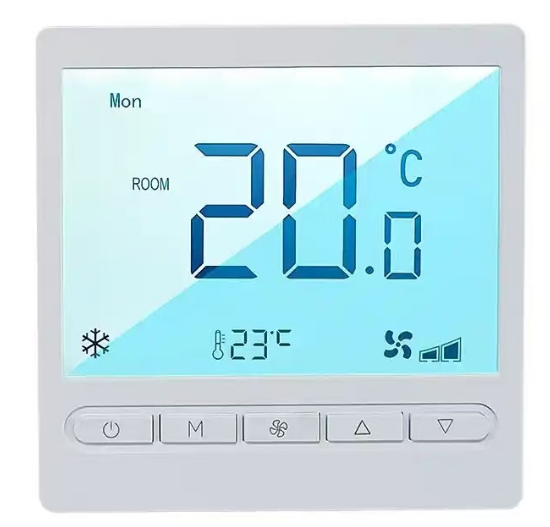
Setting Up a Digital Thermostat
Digital thermostats offer more precision. Start by pressing the “Menu” or “Settings” button to access the temperature controls. Use the arrow buttons to navigate to the “Current Temperature” or “Set Temperature” option. Once selected, press the up arrow to raise the temperature or the down arrow to lower it. Many digital models also let you set different temperatures for specific times of the day (e.g., a lower temperature at night). After setting your desired temperature, press “OK” or “Save” to confirm. The screen will display the new setting, and the boiler will adjust accordingly.
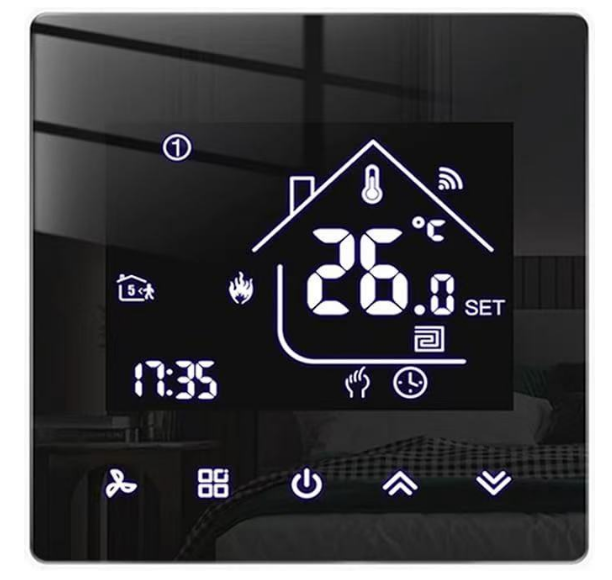
Mastering a Smart Thermostat
Smart thermostats are designed for convenience and energy efficiency. Most can be adjusted directly on the device or through a companion app on your phone. On the thermostat itself, tap the screen to wake it up, then use the touch controls to increase or decrease the temperature. Via the app, open the thermostat’s interface, find the “Temperature” slider, and drag it to your preferred setting. Some smart models also learn your habits over time and suggest optimal temperatures, or allow you to control the thermostat remotely—perfect for adjusting the heat before you arrive home. Don’t forget to explore features like “Away Mode” to save energy when you’re not at home.

Important Tips for Safe and Efficient Adjustment
No matter what type of thermostat you have, there are a few best practices to keep in mind. First, avoid setting the temperature too high—aiming for 18°C to 21°C is usually sufficient for a comfortable home and helps reduce energy consumption. Second, ensure the thermostat is placed in a central location, away from direct sunlight, drafty windows, or heat sources like lamps, as these can give false temperature readings. Finally, if you notice the boiler isn’t responding to adjustments, check the batteries (for battery-powered models) or reset the thermostat before calling a professional.

By following these steps, you can easily adjust your boiler thermostat to keep your home cozy while staying energy-efficient. A little know-how goes a long way in maintaining a comfortable living space all year round.


The Intelligent Room Thermostat
Home heater thermostat
Related Article

This shift has made traditional, manual thermostats obsolete, paving the way for advanced smart technologies.
Why You Need a Smart Thermostat

A true 7 Day programmable room thermostat offers the ultimate granular control. It allows users to program a distinct, customized heating and cooling schedule for every single day of the week.
How a 7 Day Programmable Room Thermostat Maximizes Home Comfort and Efficiency

A premium Riseem thermostat is not just a digital display on your wall; it is the ultimate gatekeeper of your indoor environment.
Why a Quality Thermostat Is the Key to a More Comfortable Home

While the TUYA app provides the elegant interface, the physical thermostat remains the brain of the operation. Riseem has engineered a device that looks minimalist on your wall while delivering industrial-grade precision to your HVAC equipment.
Welcome to the Future of Home Automation The Ultimate Guide to TUYA WIFI Smart Thermostats