
how to lock thermostat
author: Lily
2025-06-04
How to Lock Your Thermostat?

As energy costs continue to rise and homeowners seek greater control over their living environments, the question of how to lock a thermostat has become increasingly relevant. Whether you're looking to prevent children from adjusting settings, maintain energy - saving schedules, or simply ensure temperature consistency, this Q&A guide breaks down the process for different thermostat types.
Why Should I Lock My Thermostat?
A: Locking your thermostat serves multiple purposes. It prevents unauthorized changes that could lead to energy waste—for example, if someone overrides a programmed eco - setting. It also helps maintain comfort by keeping temperatures stable, especially in households with children or pets who might accidentally adjust the device. Additionally, smart thermostat locks can prevent remote tampering, enhancing home energy management security.

How Do I Lock an Old - Fashioned Non - Smart Thermostat?
A: Traditional thermostats without digital interfaces require physical solutions. The most common method is using a lock box (thermostat guard):
- Mark drilling points: Use a pencil to outline where the lock box will mount, ensuring it fully encloses the thermostat.
- Drill and insert wall plugs: Create holes for screws and secure wall plugs to stabilize the box.
- Attach the lock box: Use screws to fasten the box to the wall, leaving access to the thermostat’s controls inside.
- Set temperatures first: Adjust heating/cooling settings, fan speed, and schedules before closing the lock box.
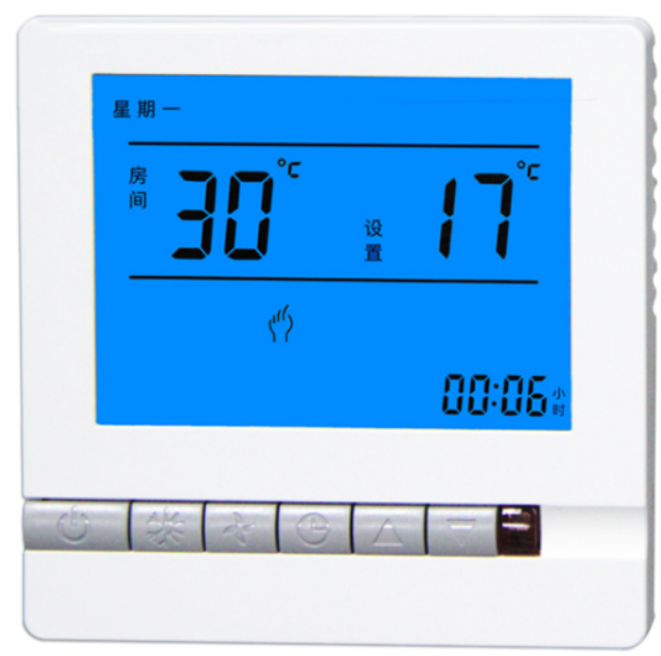
Can I Lock a Smart Thermostat Without a Physical Guard?
A: Yes—smart thermostats offer digital locking features. Here’s how for popular models:
How Does Nest Thermostat Locking Work?
A: Nest thermostats (except Nest E) can be locked via the device or app:
Locking Directly on the Device:
- Access the menu: Press the edge of the Nest ring to show options (heating, cooling, etc.).
- Navigate to settings: Spin the ring to select the gear icon, then find “Lock.”
- Set a PIN: Enter a 4 - digit code and confirm it.
Locking via the Nest/Google Home App:
- Select your thermostat: Open the app and tap the device.
- Go to settings: Tap the gear icon, then choose “Lock.”
- Set PIN and range: Enter a code and define a temperature range (e.g., 68°F–74°F) that can be adjusted without the PIN.
Note: The Nest Thermostat E must be locked through the app, as it lacks a device - side lock option.
How to Lock an Ecobee Thermostat?
A: Follow these steps for full or partial locks:
- Open the menu: Tap the bottom - left menu button on the screen.
- Go to settings: Scroll to “Settings,” then select “Access Control.”
- Enable security code: Enter a 4 - digit password and choose which functions require the code (e.g., “All” for full lock).
Can I Unlock My Thermostat Later?
A: Yes. For physical locks, simply unlock the box with a key or combination. Digital locks require entering the PIN on the device or app. Some smart thermostats also allow temporary overrides (e.g., adjusting within the locked temperature range without a code).
Are There Risks to Locking a Thermostat?
A: The main caution is ensuring you don’t forget the PIN for smart thermostats—some models may require a factory reset if the code is lost. For physical locks, ensure proper installation to avoid blocking airflow to the thermostat, which could affect temperature accuracy.
By following these steps, homeowners can take control of their heating and cooling systems, balancing energy efficiency with convenience. Whether through a physical guard or digital PIN, locking a thermostat is a simple yet effective way to maintain a consistent home environment.


home thermostats
thermostat installation
Related Article

This shift has made traditional, manual thermostats obsolete, paving the way for advanced smart technologies.
Why You Need a Smart Thermostat

A true 7 Day programmable room thermostat offers the ultimate granular control. It allows users to program a distinct, customized heating and cooling schedule for every single day of the week.
How a 7 Day Programmable Room Thermostat Maximizes Home Comfort and Efficiency

A premium Riseem thermostat is not just a digital display on your wall; it is the ultimate gatekeeper of your indoor environment.
Why a Quality Thermostat Is the Key to a More Comfortable Home

While the TUYA app provides the elegant interface, the physical thermostat remains the brain of the operation. Riseem has engineered a device that looks minimalist on your wall while delivering industrial-grade precision to your HVAC equipment.
Welcome to the Future of Home Automation The Ultimate Guide to TUYA WIFI Smart Thermostats