
how to test a thermostat
author: Somi
2025-04-12
How to Test a Thermostat
1. Introduction
A properly functioning thermostat is the linchpin of a comfortable home environment. It dictates when your heating, ventilation, and air-conditioning (HVAC) system kicks in to keep you warm or cool. But how do you know if your thermostat is working as it should? In this blog, we'll explore a comprehensive set of steps to test your thermostat, with insights from Ocean Controls Limited, a trusted name in thermostat technology.

2. Visual Inspection
Exterior Condition
Begin by examining the thermostat's exterior. Look for any signs of physical damage, such as cracks, dents, or loose buttons. A damaged casing could potentially affect the internal components. If you have a touchscreen thermostat, check for scratches or dead pixels that might interfere with its operation. Ocean Controls Limited thermostats are typically built with durable materials, but accidents can happen.
Wiring Check
Carefully remove the thermostat cover. Inspect the wiring connections. Ensure that all wires are securely fastened to their respective terminals. Look for any frayed or exposed wires, which could lead to electrical issues or inaccurate readings. If you notice any loose wires, gently tighten the terminal screws. Some thermostats, like those from Ocean Controls Limited, come with color-coded terminals for easy identification. Refer to the user manual if you're unsure about the wire functions.

3. Temperature Reading Accuracy
Using a Separate Thermometer
To test the thermostat's temperature sensing accuracy, you'll need a reliable, calibrated thermometer. Place it near the thermostat, preferably within a foot or so. Let both the thermostat and the thermometer sit undisturbed for at least 15 minutes to acclimate to the room temperature. Then, compare the readings. If the difference between the two is more than a degree or two, your thermostat's sensor might be off. Ocean Controls Limited thermostats are calibrated with precision during manufacturing, but over time, sensors can drift.
Temperature Fluctuation Test
Set the thermostat to a specific temperature, say 72°F. Observe if the HVAC system turns on and off at appropriate intervals to maintain that temperature. If it seems to be cycling too frequently or not often enough, it could indicate an inaccurate temperature reading. For example, if the room is actually 70°F and the thermostat thinks it's 74°F, it will send incorrect signals to the HVAC system.
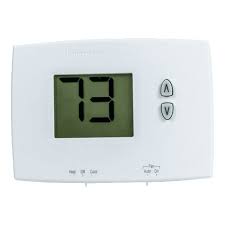
4. Testing the Controls
Button Functionality
Press each button on the thermostat, including those for adjusting the temperature, switching between heating and cooling modes, and any special features like a fan control. Ensure that the buttons are responsive and that the thermostat display updates accordingly. If a button feels sticky or doesn't work at all, it could be a sign of a mechanical or electrical issue. Some advanced thermostats from Ocean Controls Limited have touchscreens. Test the touch sensitivity by swiping, tapping, and using multi-touch gestures as applicable.
Programmable Settings
If your thermostat has programmable features, set up a simple schedule. For instance, program it to lower the temperature at night and raise it in the morning. Check if the thermostat follows the schedule correctly. This tests not only the programming function but also the internal clock and memory of the thermostat. If it fails to adhere to the set schedule, there might be a problem with its software or settings retention.
5. HVAC System Interaction
Heating Test
Set the thermostat to call for heat. Turn up the temperature several degrees above the current room temperature. Listen for the familiar click or hum of the furnace or heat pump kicking in. If nothing happens after a reasonable amount of time (usually within 5 minutes), there could be an issue with the connection between the thermostat and the heating system. Check the wiring again and ensure the HVAC system is powered on. Some Ocean Controls Limited thermostats have diagnostic indicators that can provide clues if there's a problem.
Cooling Test
Similarly, set the thermostat to cooling mode and lower the temperature. Wait to see if the air conditioner turns on. If it doesn't, repeat the steps you took for the heating test. Also, check the air filter in the AC unit as a clogged filter can sometimes prevent proper cooling and give the false impression that the thermostat isn't working.
6. Professional Help and Troubleshooting
When to Call an Expert
If you've gone through all the above tests and still can't determine the cause of the problem, or if the thermostat exhibits erratic behavior that you can't fix, it's time to call in a professional HVAC technician. They have the specialized tools and knowledge to diagnose complex issues, such as faulty relays, sensor failures, or compatibility problems between the thermostat and the HVAC system.
Troubleshooting Resources
Ocean Controls Limited provides comprehensive customer support. Check their website for troubleshooting guides, FAQs, and user forums. You might find that others have had similar issues and solutions are readily available. Additionally, their customer service hotline can offer direct assistance if you need further clarification or guidance.
Testing your thermostat regularly can help you catch problems early and ensure your home stays comfortable year-round. By following these steps, especially those tailored for Ocean Controls Limited thermostats, you can have confidence in your climate control system.


what does em heat mean on a thermostat
what should you set your thermostat at in the summer
Related Article

This shift has made traditional, manual thermostats obsolete, paving the way for advanced smart technologies.
Why You Need a Smart Thermostat

A true 7 Day programmable room thermostat offers the ultimate granular control. It allows users to program a distinct, customized heating and cooling schedule for every single day of the week.
How a 7 Day Programmable Room Thermostat Maximizes Home Comfort and Efficiency

A premium Riseem thermostat is not just a digital display on your wall; it is the ultimate gatekeeper of your indoor environment.
Why a Quality Thermostat Is the Key to a More Comfortable Home

While the TUYA app provides the elegant interface, the physical thermostat remains the brain of the operation. Riseem has engineered a device that looks minimalist on your wall while delivering industrial-grade precision to your HVAC equipment.
Welcome to the Future of Home Automation The Ultimate Guide to TUYA WIFI Smart Thermostats