
thermostat set to cool but ac not turning on
author: Somi
2025-04-11
Troubleshooting When Thermostat is Set to Cool but AC Isn't Turning On
1. Introduction
A sweltering summer day arrives, and you eagerly set your thermostat to cool, expecting a refreshing blast of cold air from your air conditioner. But alas, nothing happens. Don't panic! In this blog, we'll explore the possible reasons behind this frustrating issue and guide you through the steps to get your AC up and running again, with a focus on thermostats from Ocean Controls Limited.
2. Check the Basics
Power Supply
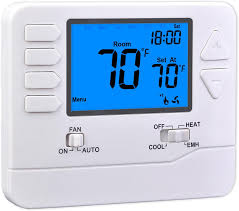
The first thing to ensure is that your thermostat and AC unit have power. Check if the display on the thermostat is lit. If it's blank or dim, it could indicate a power problem. Replace the batteries if your thermostat is battery-operated. For hardwired models like some from Ocean Controls Limited, check the circuit breaker that controls the thermostat and AC. Flip it off and then back on to reset the power. Sometimes, a power surge or outage can disrupt the normal operation.
Temperature Setting
Verify that the thermostat temperature setting is lower than the current room temperature. It might seem obvious, but it's easy to overlook. Make sure you've set it to a cool-enough temperature to trigger the AC. Some Ocean Controls Limited thermostats have a display that clearly shows the set temperature and the current room temperature for easy comparison.
3. Examine the Thermostat Wires
Loose or Disconnected Wires
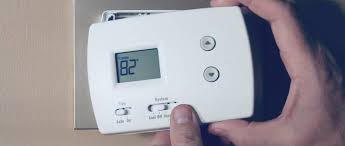
Turn off the power to the thermostat as a safety precaution. Gently remove the thermostat cover. Look for any loose or disconnected wires. The wires that control the cooling function are typically labeled "Y" (for cooling) and "R" (for power). If the wire connected to the "Y" terminal is loose or not properly seated, it won't send the signal to turn on the AC. Ocean Controls Limited thermostats usually come with detailed wiring diagrams in the user manual. Refer to it to ensure the wires are connected correctly.
Damaged Wires
Inspect the wires for any signs of damage, such as fraying, cuts, or exposed copper. If you find any, this could be interrupting the electrical signal. Damaged wires may need to be replaced. In some cases, rodents or accidental nicks during home renovations can cause wire damage. If you suspect wire damage and aren't confident in repairing it yourself, it's advisable to call a professional electrician.
4. Test the Thermostat's Cooling Function
Manual Override
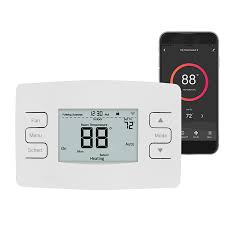
Some thermostats have a manual override option. Check your Ocean Controls Limited thermostat's manual to see if there's a way to force the cooling function to turn on, bypassing any programmed schedules. This can help determine if the problem lies with the thermostat's internal programming or the actual cooling signal. If the AC turns on during the manual override, it could indicate an issue with the thermostat's schedule settings.
Temperature Sensor Test
The thermostat's temperature sensor might be malfunctioning. You can try a simple test by using a separate, accurate thermometer. Place it near the thermostat and compare the readings. If the thermostat's reading is significantly off, it might not be triggering the AC when it should. Some advanced thermostats from Ocean Controls Limited have self-calibration features. Check if your model does and follow the instructions to recalibrate the sensor if needed.
5. Consider the AC Unit Itself
Air Filter
A clogged air filter can restrict airflow and cause the AC unit to overheat or not function properly. Locate the air filter in your AC system (usually near the return air duct) and check if it's dirty. If it's visibly clogged with dust and debris, replace it. This is a simple maintenance step that can often solve cooling problems.
Condenser Unit
Go outside and check the condenser unit of your AC. Make sure it's free from debris, such as leaves, grass, or dirt. Also, listen for any unusual noises when the thermostat is set to cool. A humming or buzzing sound could indicate a problem with the compressor or fan motor. If you notice any issues with the condenser unit, it's best to call an HVAC technician as these components can be dangerous to handle without proper training.
6. When to Call a Professional
Persistent Problems
If you've gone through all the above steps and your AC still won't turn on when the thermostat is set to cool, it's time to call in the experts. HVAC technicians have the specialized tools and knowledge to diagnose and repair complex issues. They can test the electrical components of the thermostat and AC system more thoroughly, identify faulty relays or capacitors, and ensure everything is working in harmony. Ocean Controls Limited also provides customer support. You can reach out to them for advice or to see if there are any known issues with your specific thermostat model.
Don't let a malfunctioning thermostat and AC ruin your comfort. By systematically checking these areas, you can often identify and fix the problem yourself. But when in doubt, always seek professional help to keep your cooling system humming smoothly.


how long do thermostats last
how to hook up thermostat
Related Article

This shift has made traditional, manual thermostats obsolete, paving the way for advanced smart technologies.
Why You Need a Smart Thermostat

A true 7 Day programmable room thermostat offers the ultimate granular control. It allows users to program a distinct, customized heating and cooling schedule for every single day of the week.
How a 7 Day Programmable Room Thermostat Maximizes Home Comfort and Efficiency

A premium Riseem thermostat is not just a digital display on your wall; it is the ultimate gatekeeper of your indoor environment.
Why a Quality Thermostat Is the Key to a More Comfortable Home

While the TUYA app provides the elegant interface, the physical thermostat remains the brain of the operation. Riseem has engineered a device that looks minimalist on your wall while delivering industrial-grade precision to your HVAC equipment.
Welcome to the Future of Home Automation The Ultimate Guide to TUYA WIFI Smart Thermostats